
E-commerce businesses are growing rapidly in the global market, but many e-commerce websites are still struggling to provide a good user experience. When users land on a product page, they expect product images to load quickly while still looking sharp and detailed.
If an image takes too long to load, users may lose interest and leave the website. At the same time, e-commerce websites need high-quality product images to show products clearly and help customers make better buying decisions.
This creates an important challenge: how can you maintain high-quality product images without using unnecessarily large files that slow down your website?
In this guide, we will explain the best image format for e-commerce product images, along with the recommended dimensions and file sizes for maintaining clear, crisp images without unnecessarily increasing page load time.
You will also learn how to balance image quality and loading performance for product pages, galleries, and thumbnails.
Why Do You Need to Choose Product Image Format, Dimensions, and File Size Carefully?
Product images are one of the most important elements of an e-commerce website. Customers cannot physically see or touch the product before purchasing, so clear and detailed images help them understand what they are buying. However, using high-quality images does not mean you should upload the largest possible image files.

The image format, dimensions, and file size all affect how quickly a product image loads and how clearly it appears on different devices. A large, unoptimized image can increase page load time and use more data, while excessive compression can make the product look blurry or lose important details.
Choosing these three factors carefully allows you to find the right balance between image quality and website performance. The goal is not simply to make product images as small as possible. The goal is to use the right format, appropriate dimensions, and optimized file size so your products look sharp while your pages remain fast and responsive.
What Is the Best Image Format for E-commerce Product Images?
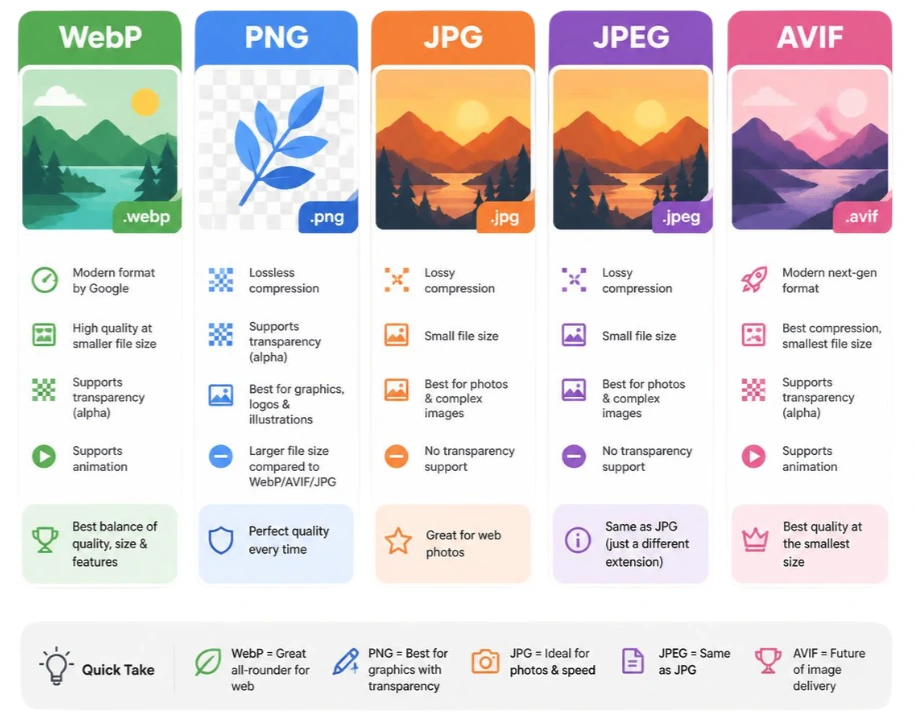
The image format you choose has a direct effect on both image quality and file size. For most e-commerce product photos, a modern image format can provide a good balance between sharp visuals and efficient loading.
For most e-commerce websites, WebP is a strong overall choice for product images. AVIF can offer even smaller file sizes in many cases, while JPEG and PNG still have specific situations where they are useful.
WebP
WebP is a practical choice for most product photography because it can provide good visual quality at a relatively small file size. It works well for product photos, category listings, galleries, and thumbnails.
- Best for: Most e-commerce product images
- Main benefit: Good balance between quality and file size
AVIF
AVIF is a newer image format designed for efficient compression. It can produce smaller files than WebP at similar visual quality in many images. However, the actual result depends on the image and compression settings.
- Best for: Stores that prioritize maximum image compression
- Main benefit: Potentially smaller files while maintaining high visual quality
JPEG
JPEG has been widely used for product photography for many years. It remains useful, particularly for stores with an existing JPEG-based image workflow.
- Best for: Product photography and compatibility
- Main benefit: Good quality with relatively small file sizes
PNG
PNG uses lossless compression and can preserve transparency and fine graphical details. However, PNG files are often considerably larger than WebP or JPEG when used for photographic product images.
- Best for: Transparent graphics, logos, and images requiring lossless quality
- Main drawback: Usually larger file sizes for product photographs
Quick Comparison:
Here is a quick comparison of the most important image formats to help you choose the right option for better image quality, faster loading, and a better user experience.
| Format | Best Use | File Size | Image Quality |
|---|---|---|---|
| WebP | Most product photos | Small | Excellent |
| AVIF | Maximum compression | Very small | Excellent |
| JPEG | Product photography | Small to medium | Very good |
| PNG | Transparency and graphics | Large | Excellent |
Which format should you choose?
If you want a simple choice for your e-commerce website, WebP is a good default for product images. If your website and image delivery system support AVIF effectively, you can also use it to reduce file sizes further.
The format is only one part of image optimization. The dimensions and file size of the image are equally important. A properly compressed WebP image can still be unnecessarily large if it has far more pixels than the visitor actually needs.
What Are the Best Dimensions for E-commerce Product Images?
There is no single image dimension that works perfectly for every e-commerce product image. The right size depends on where the image is displayed, how large it appears, and whether customers need to zoom in to see product details.
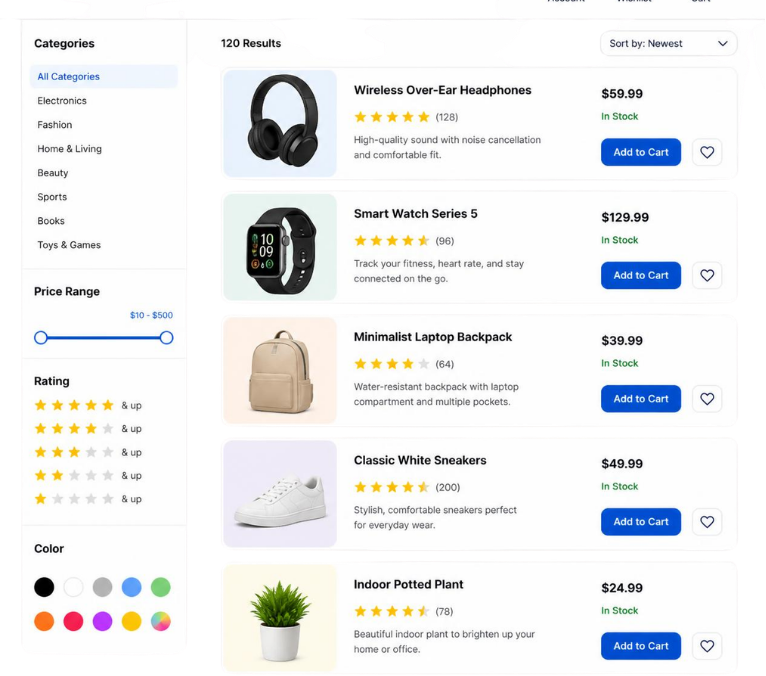
In a typical online store, the same product can appear as a large main image, several gallery images, a smaller product card, and a thumbnail. Using one unnecessarily large image for every location can make visitors download more data than they need.
For most e-commerce stores, a 1:1 square image is the safest general-purpose choice because it works well with product grids, category pages, galleries, and many marketplace layouts. A 1200 × 1200 pixel source image is a practical starting point for many main product images.
Recommended Image Dimension for eCommerce Product Image
| Image Type | Recommended Ratio | Recommended Dimensions |
|---|---|---|
| Main Product Image | 1:1 | 1200 × 1200 px |
| Product Gallery Image | 1:1 | 1000 × 1000 to 1200 × 1200 px |
| Shop / Category Image | 1:1 | 600 × 600 px |
| Product Thumbnail | 1:1 | 300 × 300 px |
| Zoom Image | 1:1 | 1600 × 1600 px or higher |
These dimensions are practical recommendations, not strict requirements. The actual dimensions you need should be based on the largest size at which the image is displayed on your website.
Why Sometimes Use Different Sizes for Different Locations?
A product image displayed at 300 pixels wide does not need the same resolution as a large product image displayed at 1200 pixels wide.
For example, a category page might display dozens of products at once. Loading a 1200 × 1200 pixel image for every small product card can unnecessarily increase the amount of data transferred to the visitor.
A better approach is to provide appropriately sized versions:
- Main product image: 1200 × 1200 px
- Category image: 600 × 600 px
- Thumbnail: 300 × 300 px
This allows each part of your store to use an image that is appropriate for its actual display size.
What About Portrait Product Images?
Not every product looks best when the product itself is cropped into a square. Fashion products, clothing, dresses, models, and other naturally tall products can benefit from a portrait composition.
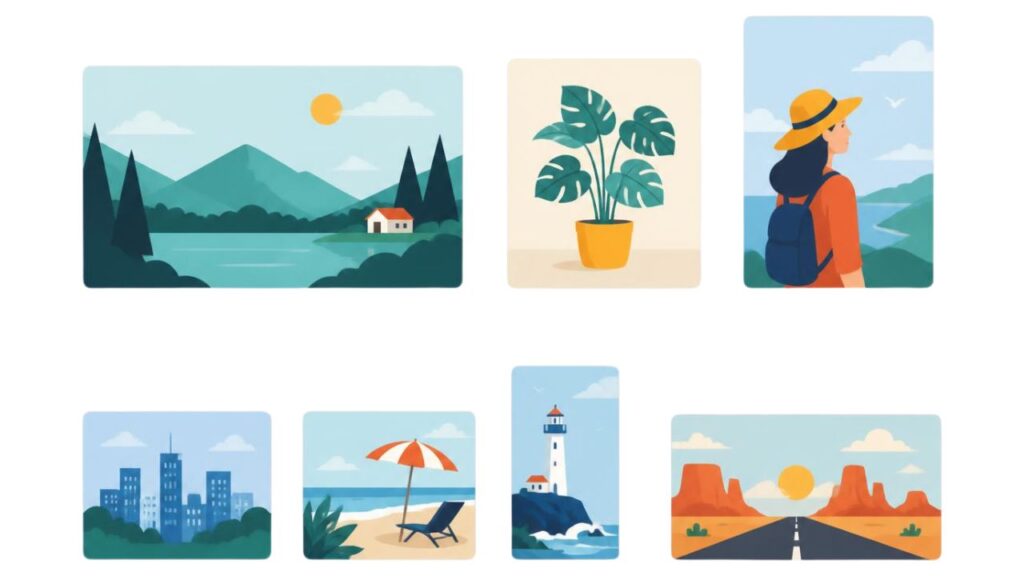
A 4:5 ratio, such as 1200 × 1500 pixels, can work well when a taller composition helps show the product more naturally.
However, if your store uses a consistent square product grid, you can still place a portrait product inside a square canvas with suitable whitespace. The important thing is to avoid aggressive cropping that removes important parts of the product.
Not only that, using a square product image gives you more flexibility. The same square image can be adapted for different display ratios, including portrait and landscape layouts, without having to create a completely different product photograph. This gives e-commerce stores more flexibility when displaying products across different pages, devices, and platforms.
Do You Need 4000 × 4000 Pixel Product Images?
Usually, no.
Uploading an extremely large image does not automatically make your product look better. If your website displays the image at around 1200 pixels wide, a 4000-pixel image contains far more pixels than are normally needed for that display.
A better workflow is to keep your original high-resolution photograph separately and create an optimized version for your website.
For example:
- Original photograph: 4000 × 4000 px
↓ - Optimized main image: 1200 × 1200 px
↓ - Category version: 600 × 600 px
↓ - Thumbnail: 300 × 300 px
This reduces unnecessary image data while providing enough resolution for each location.
What Is the Ideal File Size for E-commerce Product Images?
After choosing the right image format and dimensions, the next question is usually simple: how large should an e-commerce product image actually be?
There is no single file size that is perfect for every product image. A detailed product photograph may naturally require more data than a simple image with a plain background. What matters is finding the right balance between image quality and file size so customers can see the product clearly without downloading unnecessary data.
For most e-commerce websites, the following are practical target ranges:
| Image Type | Recommended File Size |
|---|---|
| Main / Featured Product Image | 100 to 250 KB |
| Product Gallery Image | 80 to 200 KB |
| Shop / Category Image | 40 to 100 KB |
| Product Thumbnail | 20 to 50 KB |
| Zoom / High-Resolution Image | 200 to 400 KB |
These numbers should be treated as practical targets rather than strict limits. An image that is slightly above 250 KB is not automatically a problem if the additional size is necessary to preserve important product details. On the other hand, forcing every image below a specific number can result in visible artifacts, blurry edges, or loss of fine details.
Why Does Product Image File Size Matter?
Product images can make up a significant portion of the data transferred when a page loads. Modern web performance guidance recommends keeping image requests as small and efficient as possible and serving an image that is appropriate for the visitor’s device and display size.
This becomes particularly important on e-commerce websites because a single product page can contain a main image, several gallery images, thumbnails, recommended products, and other visual content.
For example, imagine a product page with 10 images, each around 1 MB. The page could require roughly 10 MB of image data before considering other page resources. Reducing those images to an appropriate size can make a significant difference, particularly for visitors using mobile networks or slower connections.
Smaller Does Not Always Mean Better
It can be tempting to compress every product image as much as possible. However, extremely aggressive compression can damage the very details that customers need to see.
For example, a clothing store may need to preserve fabric texture, stitching, patterns, and small design details. A jewelry store may need sharp edges and reflections. If compression removes these details, the image may load quickly but provide a poor shopping experience.
The goal should therefore be the smallest file size that still looks sharp and accurate at its actual display size.
What Determines the File Size of a Product Image?
Several factors affect how large an image file becomes:
- Image dimensions: A 1200 × 1200 image contains far more pixels than a 600 × 600 image.
- Image format: WebP and AVIF can often achieve smaller files than older formats at comparable visual quality.
- Compression level: More compression usually reduces file size, but excessive compression can reduce visible quality.
- Image complexity: A detailed photograph with textures, shadows, and many colors generally requires more data than a simple product image with a plain background.
- Transparency: Images containing transparency can have different file-size characteristics depending on the format and image content.
This is why two product images with exactly the same dimensions can have completely different file sizes.
A Practical Target for Most Product Images
If you want a simple starting point, aim for around 100 to 250 KB for a main product image when using a properly optimized modern format such as WebP.
For smaller product cards and thumbnails, the file should generally be much smaller because those images are displayed at a much smaller size.
For example:
- Main product image: 1200 × 1200 px → around 100 to 250 KB
- Category image: 600 × 600 px → around 40 to 100 KB
- Thumbnail: 300 × 300 px → around 20 to 50 KB
These are not hard requirements. Always compare the compressed image with the original and check whether important product details remain clear.
The Right Way to Optimize File Size
The goal of image optimization is not simply to make the file as small as possible. You want to reduce unnecessary file size while keeping the product image sharp and clear.
A simple workflow is the following:
- Resize the image to the dimensions you actually need.
- Choose an efficient format, such as WebP.
- Compress the image while checking its visual quality.
- Compare the result with the original before uploading it.
- 100% Secure Because it does not upload your image to any server.
Here is a simple solution to one of the biggest image optimization problems faced by e-commerce websites. imgresizer.io is a client-side image optimization tool, which means your images can be processed directly in your browser without unnecessary server-side processing. This makes the tool fast and convenient, especially when you need to optimize multiple high-quality product images.
With everything available in one place, you can:
- Resize and change image dimensions
- Crop images to the required size
- Convert images into 7+ different formats
- Work with 10+ image formats
- Reduce file size while maintaining good image quality
Instead of using separate tools for resizing, cropping, converting, and compressing, you can handle these common e-commerce image optimization tasks from one place with imgresizer.io.
How to Serve E-commerce Product Images for Better Performance?
Even after optimizing your product images, the way your website serves them can affect loading performance.
- Use responsive images: Serve an appropriate image size for different screen sizes instead of sending the largest version to every visitor.
- Use smaller versions for thumbnails: Category pages, search results, and product cards usually do not need the full-size product image.
- Lazy-load below-the-fold images: Product gallery images that are not immediately visible can be loaded when needed.
- Optimize the main product image: The image visible when the page first loads should be properly sized and compressed because it can affect the initial loading experience.
The simple rule is to serve an image that is large enough for its actual display size, but no larger than necessary.
How to Optimize E-commerce Product Images for SEO?
Image optimization is not only about reducing file size. Your product images should also be easy for search engines to understand and relevant to the product they represent.
- Use descriptive file names: Use names such as black-leather-wallet.webp instead of IMG1234.webp.
- Write useful alt text: Describe what the image actually shows, such as black leather wallet front view.
- Keep images relevant: Use clear product images that accurately represent the product on the page.
- Avoid keyword stuffing: Do not add keywords to filenames or alt text when they do not naturally describe the image.
Good image SEO starts with useful, relevant images and accurate descriptions, while technical optimization helps those images load efficiently for users.
Common E-commerce Product Image Optimization Mistakes
Even a good product image can hurt your website if it is not optimized properly. Avoid these common mistakes:
- Uploading very large files: Avoid uploading multi-megabyte images when a smaller version can provide the same visual quality.
- Using oversized dimensions: Do not use a 4000 × 4000 px image when the image is only displayed at around 1200 px.
- Over-compressing images: Excessive compression can make products look blurry and remove important details.
- Using the wrong format: PNG is usually unnecessary for standard product photography when WebP or JPEG can provide a much smaller file.
- Ignoring mobile users: Make sure your images are appropriately sized and served efficiently on smaller screens.
The goal is simple: keep product images clear, relevant, and as lightweight as reasonably possible.
Frequently Asked Questions
My product images look blurry after compression. What should I do?
If the image starts looking blurry, you have probably compressed it too much. Try increasing the quality a little and check the image again. You want the file to be smaller, but not at the cost of important product details like texture, stitching, colors, or sharp edges.
Should I upload the original 3000 or 4000 pixel product photos?
You can keep the originals, but you usually do not need to upload them directly to your store. If your website displays the image at around 1200 pixels, sending a 4000-pixel image to every visitor is often unnecessary. Resize a copy for your website and keep the original safely stored for future use.
I have hundreds of product images. Do I need to optimize them one by one?
If you have a large product catalog, manually optimizing every image can become a real headache. It is much easier to use a tool that can handle common tasks such as resizing, cropping, converting, and compressing in one place. imgresizer.io can help simplify this process when you have many images to prepare.
Should I use the same image size for product pages and category pages?
Not necessarily. A main product image may need a larger version, while category cards and thumbnails can use smaller versions. Serving an appropriately sized image for each location avoids making visitors download unnecessary data.
Should product images and thumbnail images have the same dimensions?
Not always. Your main product image may need a larger version, while a small product card or thumbnail can use a much smaller image. Using the same large file everywhere simply makes visitors download more data than they need.
If I make the image file as small as possible, is that better?
Not necessarily. There is a point where reducing the file size starts damaging the image. For e-commerce, that matters because customers need to see the product clearly. Instead of chasing the smallest possible file, aim for a small file that still looks sharp and accurate.
Final Thought
Choosing the best image format for e-commerce product images is not about finding one perfect format, size, or dimension and using it everywhere.
What really matters is finding the right balance between image quality, file size, dimensions, and loading speed. A product image should be large and clear enough for customers to properly see the product, but it should not be so large that it unnecessarily slows down the page.
For most stores, using properly sized WebP images, keeping file sizes reasonable, and serving smaller versions where needed is a good place to start. And when you have a large number of product images to prepare, a tool like imgresizer.io can make the resizing, cropping, conversion, and compression process much easier.
In the end, good image optimization is simple: make your images look great for customers without making their browser work harder than necessary.
