
Stay up to date with the latest changes to imgresizer.io. Here you’ll find new features, tool improvements, performance updates, and bug fixes as we continue improving our image tools.
Bug Fixes & Performance Improvements v2.9.0
Improvements & Bug Fixes
- Multi-Processing Issue: Fixed an issue where processing multiple images sometimes didn't work as expected.
- Screen Freezing Issue: Fixed the screen freezing issue that could occur while processing images.
- UI Improvements: Improved the overall interface, responsiveness, and smoothness for a better user experience.
New Feature: Before & After Image Comparison
We've added an interactive Before & After Comparison feature to ImgResizer, allowing you to easily compare images before and after processing.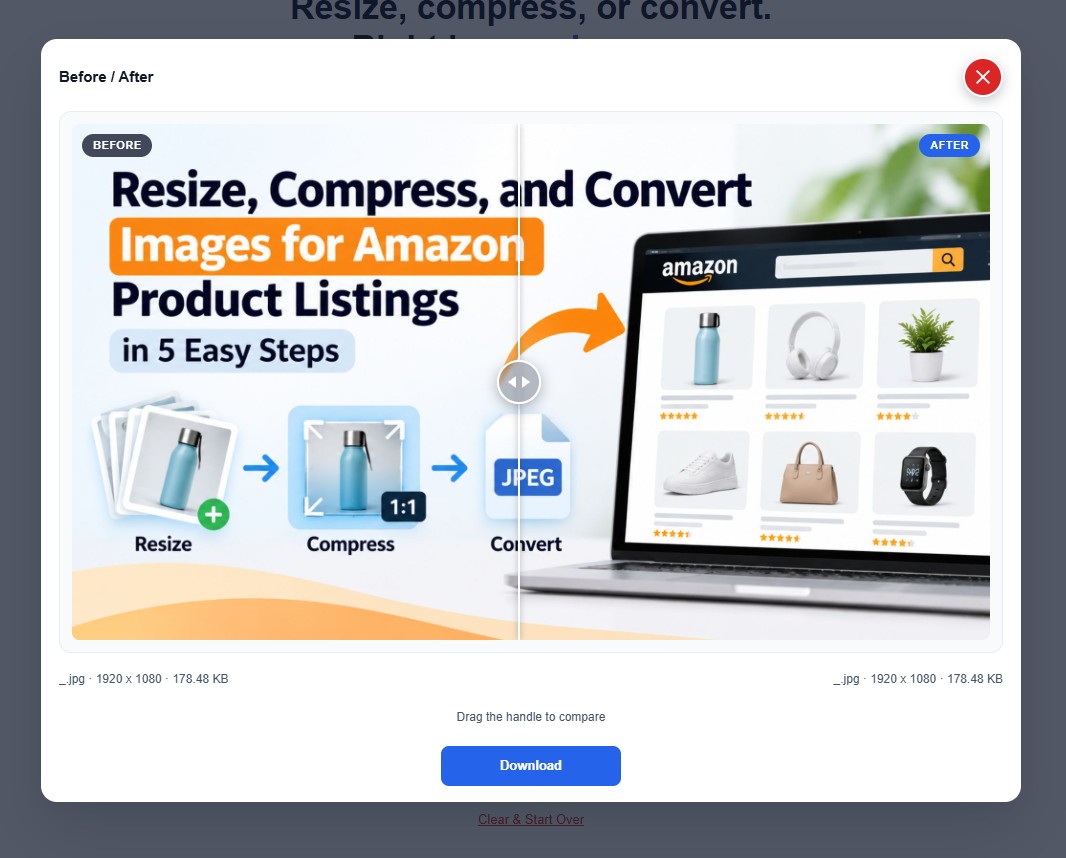
What's New?
- Interactive Drag Slider: Drag the slider left or right to compare the original and processed images.
- Instant Visual Comparison: View image differences in real time without switching between files.
- Image Details: View image dimensions, file format, and file size.
- Quick Download: Download the processed image directly from the comparison window.
This feature makes it easier to review image processing results after resizing, compressing, or converting images.Try this tool now and compare your images! Try This Feature in Resizer Tool
New Feature: EXIF Data Control v2.1.1
You can now choose whether to remove or keep your image’s EXIF data when resizing.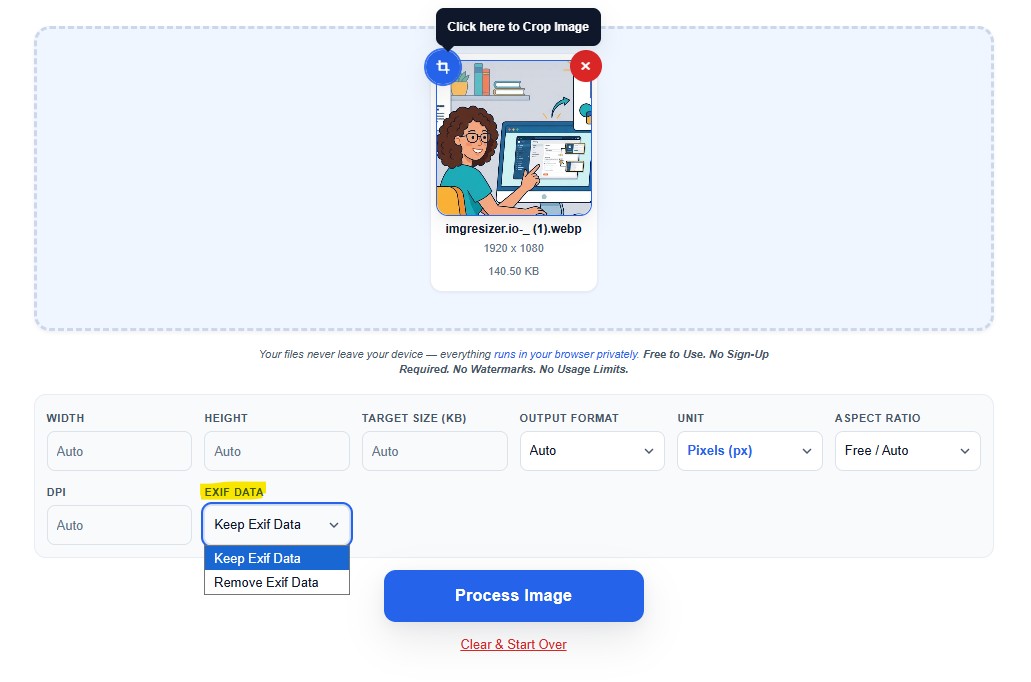
- Strip EXIF Data: Strip out metadata like camera model, GPS location, date taken, and other embedded information for better privacy and smaller file sizes.
- Keep EXIF Data: Preserve all original metadata when you need to retain camera settings, copyright info, or location details.
This option is available in the resize settings before you process your images, giving you full control over what stays embedded in your files.
Launched Free Image Upscaler Tool.
- Free Image Upscaler: Added a new free image upscaling tool for increasing image dimensions and improving image quality.
- Upscaling Options: Added 2×, 3×, 4×, and 8× image upscaling options.
- Downscaling Support: Added the ability to reduce image dimensions when smaller images are needed.
- Live Renaming: Support for renaming the file along with new size resolution.
- Sharpening Options: Added sharpening controls to improve the clarity and appearance of upscaled images.
- Multiple Output Formats: Added support for exporting processed images in JPG, PNG, and WebP formats.
- Before & After Preview: Added an image preview to compare the original image with the processed result.
Expanded Image Format Converter Tool with More Conversion Options.
- More Format Conversions: Added more conversion options for JPG, PNG, WebP, AVIF, HEIC, GIF, BMP, TIFF, and ICO.
- Modern Format Support: Added more conversion options for WebP, AVIF, and HEIC.
- Dedicated Conversion Pages: Added dedicated pages for commonly used image format conversions.
- Expanded Workflow: Improved the format selection and conversion workflow.
- Image Conversion: Improved the overall image conversion process.
- Format Compatibility: Expanded support for converting between different image formats.
- User Interface: Improved the converter interface for easier format selection and use.
- Processing Experience: Improved the overall conversion workflow for a smoother experience.
Extended DPI, Aspect Ratio, Batch Image Select and Unit Selector Feature in Image Tool.
- DPI Settings: Set the DPI (Dots Per Inch) when resizing images, giving you more control over image dimensions for different requirements.
- Aspect Ratio: Choose and maintain your preferred aspect ratio while resizing images for more consistent results.
- Unit Selector: Select your preferred measurement unit when working with image dimensions, including Pixels (px) and Centimeters (cm).
- Batch Image Selection: Select up to 5 images at once for faster and more convenient batch processing.
- Image Resizing: Improved the resizing workflow and controls for a smoother image resizing experience.
- Image Compression: Updated the compression engine and workflow for improved image processing and usability.
- Image Conversion: Improved the image conversion process and overall conversion workflow.
- User Interface: Made several UI improvements to make the image tools cleaner, easier to use, and more consistent.
Launched Bulk Image Converter that Support 60 Images Per Batch.
- Bulk Image Conversion: Convert multiple images in a single batch instead of processing them one by one.
- Up to 60 Images: Select and process up to 60 images in one batch, with a maximum file size of 15 MB per image.
- Wide Format Support: Supports common image formats including JPG, PNG, WebP, AVIF, HEIC, TIFF, BMP, GIF, SVG, and more.
- Multiple Image Selection: Select images by browsing, dragging and dropping, or pasting images directly from the clipboard.
- Client-Side Conversion: Image conversion is performed directly on your device, so your images are never uploaded to our servers.
- Simple Batch Workflow: Convert multiple images through a clean and straightforward interface designed for faster bulk processing.
- Conversion Workflow: Improved the overall image conversion experience for processing multiple files efficiently.
- User Interface: Added a cleaner and more convenient interface specifically designed for bulk image conversion.
- Privacy: Added fully client-side processing to keep users’ images on their own device during conversion.