
Tired of using multiple websites for your SSC CGL photo?
Usually, you need one tool to reduce the file size, another to fix the dimensions, and another to change the format. IMGResizer.io does it all in one place. Resize, compress, and convert your SSC CGL photo in a single step, fast, simple, and hassle-free.
Here, you can fix image dimensions, reduce file size, and convert to the right format all in one place. Get your photo ready for SSC CGL form upload in seconds. It’s quick, simple, and 100% secure. Your image never leaves your device. It is processed directly in your browser.
Make Photo Upload Ready
Drop, paste, or browse your image.
Supports JPG, PNG, WebP, AVIF, HEIC/HEIF, GIF, BMP, TIFF, SVG, PDF, and ICO. Processed locally in your browser.
Your privacy is our priority. Every image is processed directly in your browser, never uploaded to our servers. Free, Fast, and Easy-to-use. No Watermarks. No Usage Limits.
Explore Image Tools
Quick access to image compression, resizing, conversion and enhancement tools.
Browse all toolsOfficial Guidelines for the Photo
What you need
- Dimensions: 275 × 354 px
- File size: 20 to 50 KB
- Format: JPG
Important things to know
Your SSC CGL application requires a live photograph, which means you need to capture it during the application process using a webcam or mobile device. Do not use an old or pre-existing photo, as it can lead to rejection.
Photo requirements
Keep the background plain and make sure your full face is clearly visible from the front and stays within the marked area. Do not wear a cap, mask, or glasses/spectacles while taking the photo.
Here, you can fix signature dimensions, reduce file size, and convert to the right format all in one place. Get your photo ready for SSC CGL form upload in seconds. It’s quick, simple, and 100% secure. Your image never leaves your device. It is processed directly in your browser.
Make Signature Upload Ready
Drop, paste, or browse your image.
Supports JPG, PNG, WebP, AVIF, HEIC/HEIF, GIF, BMP, TIFF, SVG, PDF, and ICO. Processed locally in your browser.
Your privacy is our priority. Every image is processed directly in your browser, never uploaded to our servers. Free, Fast, and Easy-to-use. No Watermarks. No Usage Limits.
Explore Image Tools
Quick access to image compression, resizing, conversion and enhancement tools.
Browse all toolsOfficial Guideline for the Signature
What you need
- Dimensions: 140 × 60 px
- File size: 10 to 20 KB
- Format: JPG
Signature requirements
Your signature should be clear, readable, and properly visible. Avoid uploading a blurry, tiny, or unclear signature, as it may be rejected.
A handwritten signature in your usual style is recommended. Avoid writing your signature entirely in capital letters.
The preferred size is 140 × 60 px. The system can also safely process signatures up to 236 × 79 px.
For VH candidates: A thumb impression can be used instead of a signature.
FAQs
My photo is correct, but the file size is above 50 KB. What should I do?
You need to compress the image until it falls within the required 20 to 50 KB range while keeping the photo clear. Use this tool to get the perfect upload-ready file size in one place.
My photo is under 20 KB. Can I upload it anyway?
No. The specified file size is 20 to 50 KB, so an image below 20 KB may not meet the requirement.
My photo is JPG, but the dimensions are wrong. Do I need to take the photo again?
Not necessarily. If it is the live photograph captured during the application process, you can adjust its dimensions to 275 × 354 px before uploading, provided the application process allows you to work with that captured image.
Why does my photo look stretched after resizing?
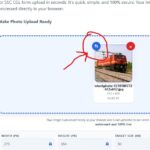
This usually happens when the image is resized directly to 275 × 354 px without keeping the original proportions. As a result, the photo can look stretched or distorted.
To fix it, use our tool and tap the Crop icon here. You can adjust the crop before resizing so the image fits the required 275 × 354 px dimensions without looking stretched.
What should I do if my signature becomes blurry after reducing it to 10 to 20 KB?
Start with a clear, high-quality scan and then resize and compress it gradually. If the signature becomes unreadable, the original scan may be too small or low quality.
My signature is 140 × 60 px, but the file is 25 KB. Is that okay?
No. The preferred requirements are 140 × 60 px, JPG, and 10 to 20 KB. You need to reduce the file size without making the signature unclear.
Is 140 × 60 px the only size accepted for the signature?
140 × 60 px is the preferred size. The system can also safely process signatures up to 236 × 79 px, but staying with the preferred dimensions is the safer choice.
Does IMGResizer.io upload my photo or signature to a server?
No. The processing happens directly in your browser, so your image does not need to be uploaded to a server.
Can I process both my SSC CGL photo and signature with the same tool?
Yes. You can use the SSC CGL image processor to prepare both files by setting the required dimensions, file size, and JPG format.